MetaTrader 4
 MetaTrader 5
 MatchTrader
 FTMO
 FFX Fund
 TradingView
 IG
 FXCM
 OANDA
 FundedNext
 FundingPips
 NinjaTrader
 Tradovate
Live sync
Your trades come in on their own.
Connect MT4, MT5 or cTrader with read-only access. Closed trades, deposits and withdrawals arrive while Forexizer is open.
Sync trades from MT4, MT5 or cTrader, or import a file. Record why you took each trade and review which setups worked across your personal and prop accounts.
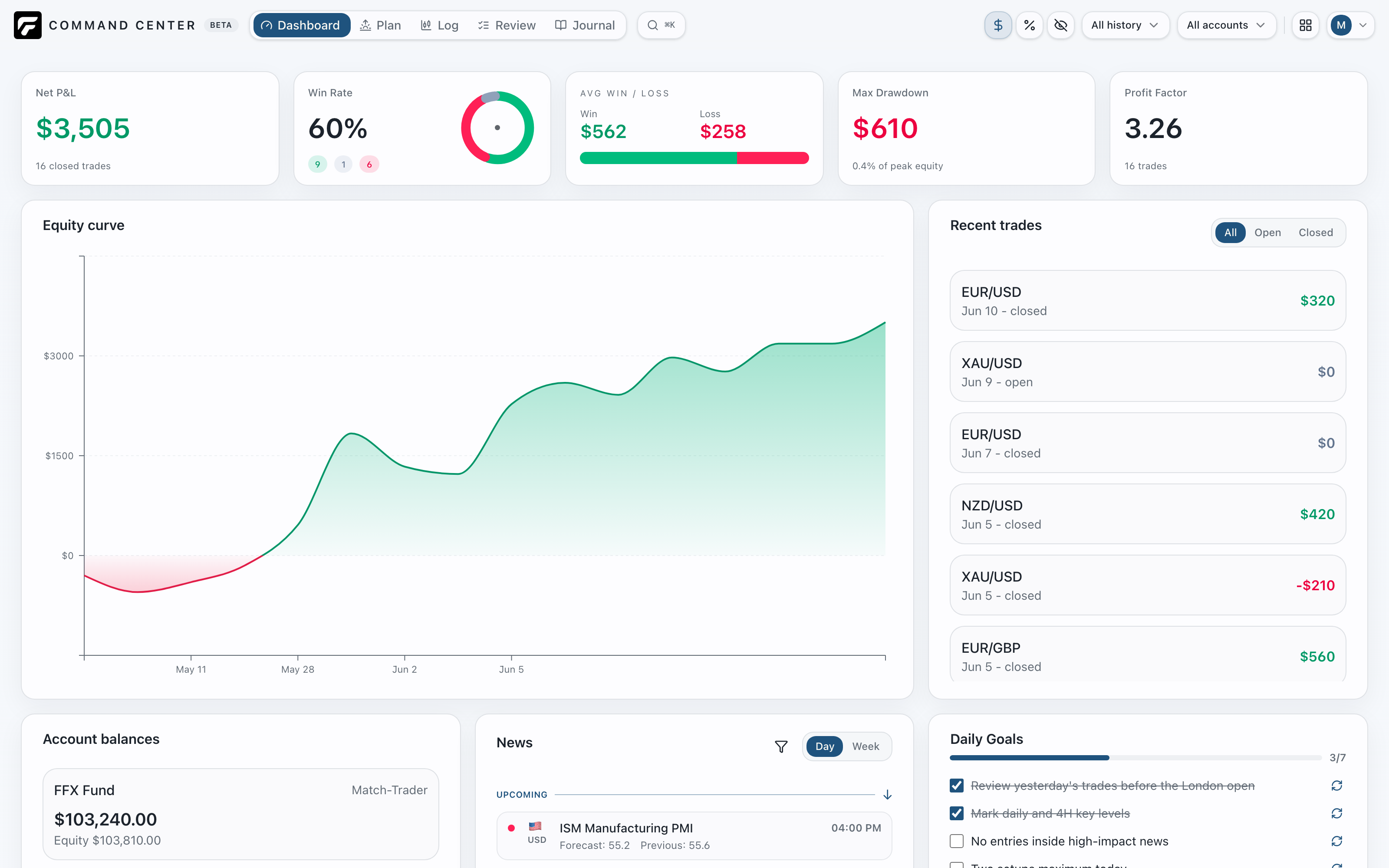
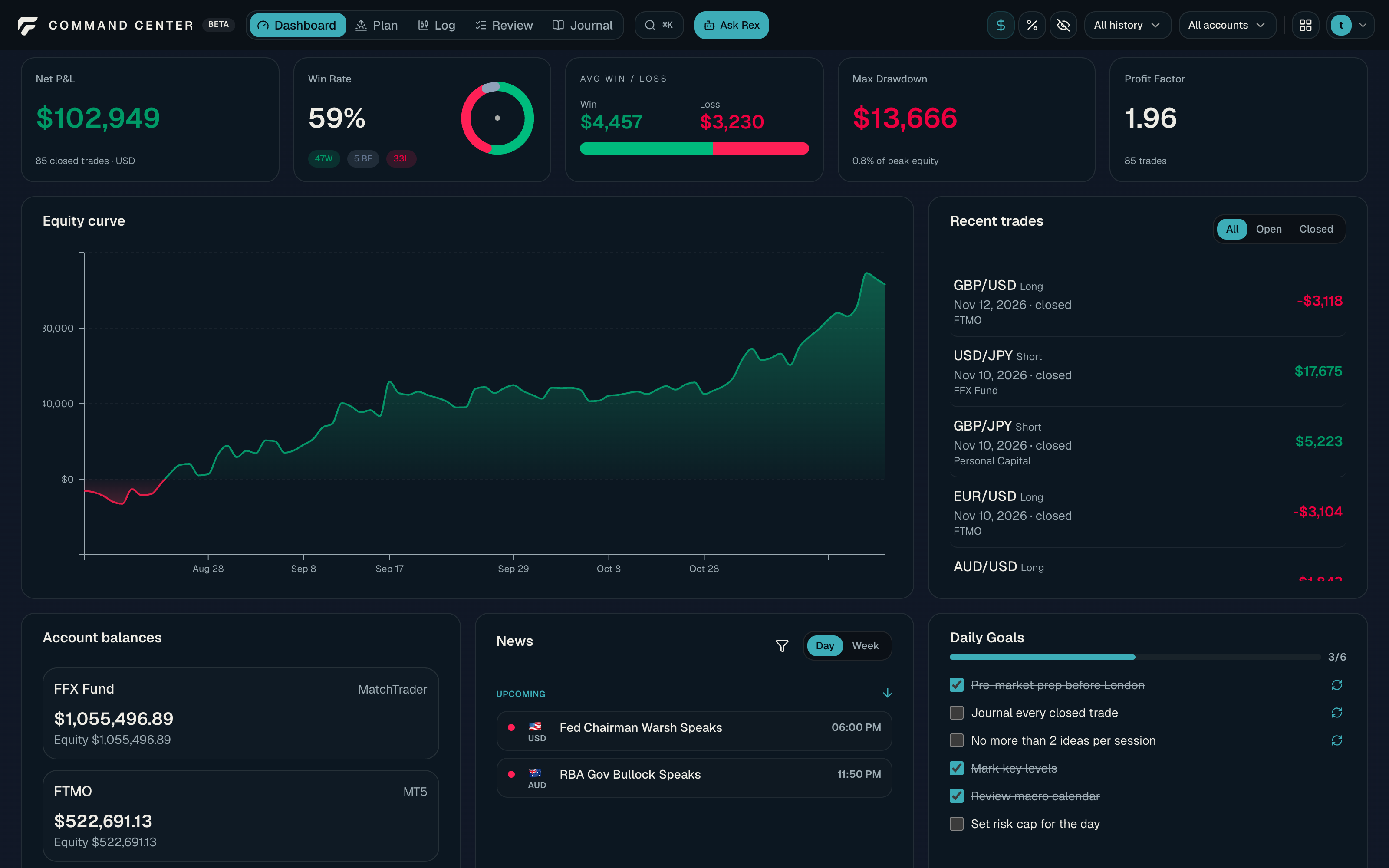
Your history comes with you MT4, MT5 & cTrader live sync
Connect MT4, MT5 and cTrader accounts with read-only access and your trades come in on their own. For everything else, import a file.
Inside Command Center
Live sync
Connect MT4, MT5 or cTrader with read-only access. Closed trades, deposits and withdrawals arrive while Forexizer is open.
Rex
Rex answers from your trades and your journal. No signals.
Plan
Bias, key levels, watchlist and a checklist for the day.
Log
R, P&L, mistakes and emotion on every trade.
Review
See the week, find what cost you most, write one rule.
Dashboard
The Forexizer Score, from 0 to 100, with the six things behind it.
Journal & calendar
Daily and weekly P&L on a calendar, with your notes next to the trades.
Example data
Trading routine
Example data
Choose a pair to watch and note what you want to see before you enter.
Daily planOpen the trade and record why you entered, how you felt and whether you followed your plan.
Trade logCheck the day’s P&L, then use your journal to explain the trades behind it.
Calendar · JournalLook for a mistake that kept showing up. Write one rule you can check before your next trade.
Weekly reviewFrom the desk
A weekly trade review turns a pile of trades into one rule you can follow. Here's a 30-minute routine: finish the log, look at totals, check last week's rule, and set the next one.
Read storyA trading journal template for Excel, Google Sheets or paper: the columns every trade needs, the ones only you can fill in, and the weekly totals that make it worth keeping.
Read storyA trading journal is only useful if you keep it and read it. What to log on every trade, what to write before and after the session, and how to turn it into one rule a week.
Read storyYes. There are three plans, from $19 a month, and every plan includes live sync. They differ in how many accounts sync and how much AI you get. See the pricing page for what each one includes.
Forexizer Calculator remains available on iOS and Android. We have not decided whether it will be retired, and there is no shutdown date. If that changes, existing users will receive clear notice and a tested migration path.
Yes. A new Command Center mobile app is planned. Web comes first, then mobile will bring the same account and risk workflow to iOS and Android.
It's used only to show you your stats and history, and to answer your questions in the AI assistant. We don't sell it or use it for advertising. File imports need no password. MetaTrader live sync uses your read-only investor password, and cTrader live sync uses view-only access you grant through cTrader. Both are stored encrypted, and neither can place trades or move funds. You can delete your data at any time. Details are in our privacy policy.
MetaTrader 4, MetaTrader 5 and cTrader accounts, including prop firm and demo accounts. Every other platform imports from a file.
Start today
Three plans, from $19 a month. Every feature in all of them.
Live sync for MT4, MT5 and cTrader included.
Or receive occasional product updates.
Unsubscribe anytime. Privacy policy.